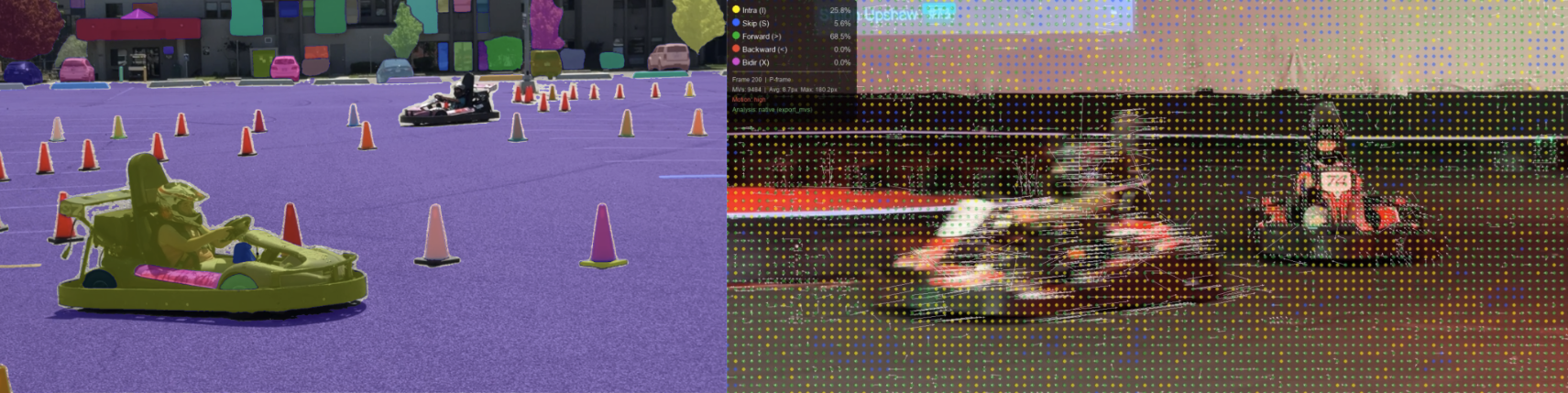
Explore how different visual properties make regions of an image attract attention. Load an image, and see which areas are most visually salient and why.
Luminance Contrast — Bright regions against dark backgrounds (or vice versa) draw the eye
Color Contrast — Colors that differ from their surroundings pop out (red among green)
Edge Density — Areas rich in edges and detail attract attention over smooth zones
Orientation Contrast — A tilted element among uniform orientations stands out
Saturation — Vivid, saturated colors among muted tones grab focus
Center Proximity — Centrally located regions naturally attract more attention
Regional Color Contrast — Regions whose color differs from surrounding regions stand out
Foreground / Background — Foreground objects are weighted as more salient than background
Shape Unusualness — Irregular or unusual shapes draw attention over regular forms
Saliency Analyzer
Load an image from your file system or choose a sample, then analyze its visual saliency.
or pick a sample:
256
20
Original Image
Saliency Overlay
LowHigh
Region Inspector
Individual Feature Maps
Each map highlights regions that stand out for a specific visual property. Adjust weights to control their influence on the combined saliency.
Video Saliency
For video, attention is also driven by motion and temporal change. Load a short clip to see how temporal factors layer on top of the static saliency properties.
Additional saliency factors for video
Temporal Contrast — Regions that change significantly between consecutive frames immediately attract the eye
Flicker — High temporal luminance variance (rapid oscillating changes) signals unstable or flickering regions
Motion Boundary — The spatial edges where moving regions meet static ones are especially salient — the visual system uses these to segment objects
Moving Foreground — Objects that deviate from the time-averaged background model are treated as foreground and weighted more highly
Luminance Contrast (Static) — Center-surround luminance contrast from the selected frame, identical to the image saliency factor
Foreground & background segmentation approach: The background model is estimated as the per-pixel mean across all extracted frames. Any frame pixel that deviates substantially from that mean is classified as moving foreground. This is robust to gradual illumination shifts and works even on short clips where only part of the scene is in motion. Motion boundaries are then derived by computing the spatial gradient of the smoothed temporal-contrast map, isolating the contours between moving and static regions.
12
60%
Extracted frames — click a frame to inspect its saliency